
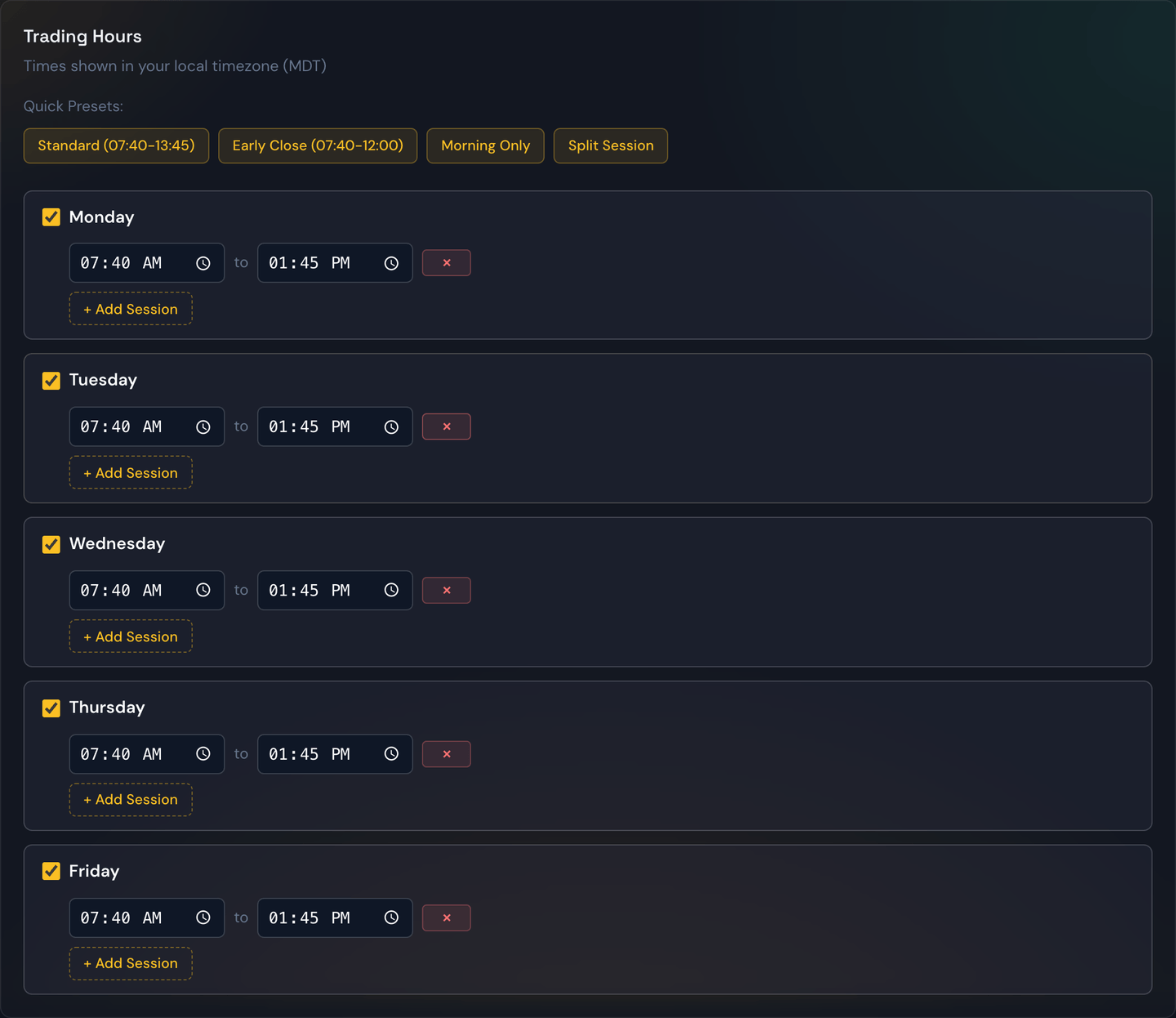
The trading-hours setting tells your bot during which part of the day it's allowed to open new trades. Outside this window, alerts are ignored.
Tip
To set a start or end time, click the box and type it in directly — for example, type
9,4,5for 9:45. You don't have to fiddle with the pop-up clock. If you'd rather point-and-click, the small clock icon on the right of the box still opens the picker. Times are shown in your own local time zone.
Why limit the window?
Different parts of the trading day behave very differently:
- The first 15 minutes after open are often wild and erratic.
- Mid-morning tends to set the day's trend.
- The final 30 minutes before close are dominated by position-squaring and can whip around quickly.
Many strategies do their best work in the calmer middle of the day. Setting a window like 9:45 a.m. to 3:30 p.m. sidesteps the opening and closing chaos.
What it does and doesn't do
- It does prevent the bot from opening new trades outside the window.
- It does not force-close trades that were opened inside the window. Those continue running until they hit their profit target, stop-loss, or time limit — even if the window ends while they're still open.
If you want trades to close at a specific time too, use a time limit on individual trades or simply rely on the trade's own exit logic.
Trades that run past today
Some trades use options that expire days out (swing or multi-day trades). When a trade like that stays open overnight, its protective stop-loss stays alive across sessions automatically — you're never left unprotected between the close and the next open, and there's nothing extra to switch on. Same-day (0DTE) trades are unaffected and still wrap up within the day as usual.
Worked example
Your trading hours are set to 9:45 a.m. – 3:30 p.m. (Eastern).
- An alert arrives at 9:32 a.m. — ignored, window not open yet.
- An alert arrives at 10:10 a.m. — the bot evaluates and may open the trade.
- The trade opens and runs.
- The clock hits 3:30 p.m. — new alerts are now ignored, but the open trade keeps running.
- The trade hits its profit target at 3:43 p.m. — closed.
Tip
Trading hours and skip days work together. Trading hours decide when in the day the bot can trade; skip days decide whether the day counts at all.