
Trade limits are the guardrails that control how much, what, and how long a strategy is allowed to trade. They keep a busy signal source from running away with your account and let you shape each strategy to your comfort level. Every limit is set per strategy on the Strategies page, and any one you leave blank is switched off.
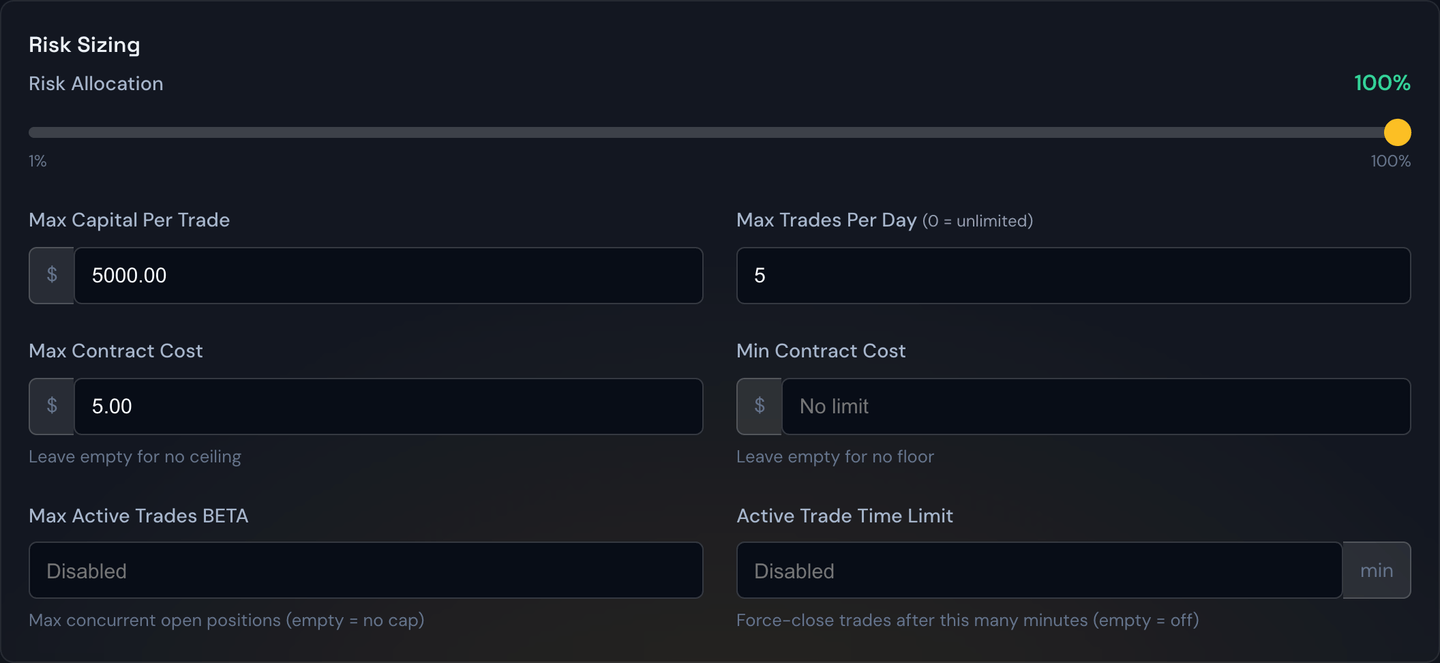
Daily trade limit
The most-used limit: the maximum number of new trades a strategy may open in a single day. Once it's hit, the strategy stops taking new alerts until the next trading day, even if more come in. Use it to cap how active a strategy can be.
Example
Set the daily trade limit to 3. After the strategy has opened three trades today, the fourth alert is ignored — your risk for the day is capped no matter how noisy the source gets.
Note
In the Backtest, this same limit adds a No Daily Trade Limit option (set it to 0 for unlimited) so you can replay a day where you take every signal. It pairs naturally with a Margin Account, where capital recycles as trades close.
Max active trades
The cap on how many trades a strategy may have open at the same time. This is different from the daily limit: you might allow 10 trades a day but never more than 2 running at once. Alerts that arrive while you're already at the cap are simply skipped and do not use up a slot. (This control carries a BETA badge and may not be available on every account yet.)
What counts toward the cap:
- Every open position, including multi-leg spreads and futures positions.
- Orders still waiting to fill. An entry resting at a limit price holds its slot from the moment it's sent — it doesn't wait until it fills.
- Adding to a position you already hold does not take a second slot — a scale-in rides the trade that's already counted.
A slot frees up the moment the trade finishes, however it finishes — target, stop, trailing stop, or a manual close — and open positions keep their slots across a restart.
Example
Your cap is 2. You have a SPY call open and a QQQ limit entry still resting. That's both slots used, so a third alert is skipped. When the SPY call hits its target, the slot opens and the next alert can come in.
Active trade time limit
A maximum number of minutes a trade is allowed to stay open after it fills, set under Risk & Orders. When the clock runs out, the bot closes the trade at market regardless of profit or loss. Leave it blank (or 0) to switch it off. Handy for strategies meant to be in-and-out quickly.
Example
Set the active trade time limit to 30 minutes. A trade that opens at 10:00 and hasn't hit its target or stop is force-closed at 10:30 — so a position can never quietly drift all day.
Trade direction
Found in the Filters tab, this restricts a strategy to a single side of the market:
- Any — take both calls and puts (the default).
- Calls — only ever open call trades.
- Puts — only ever open put trades.
Tip
Direction is useful for running two strategies on the same source — one set to Calls and one set to Puts — each with its own rules, so you can tune your bullish and bearish trades separately.