
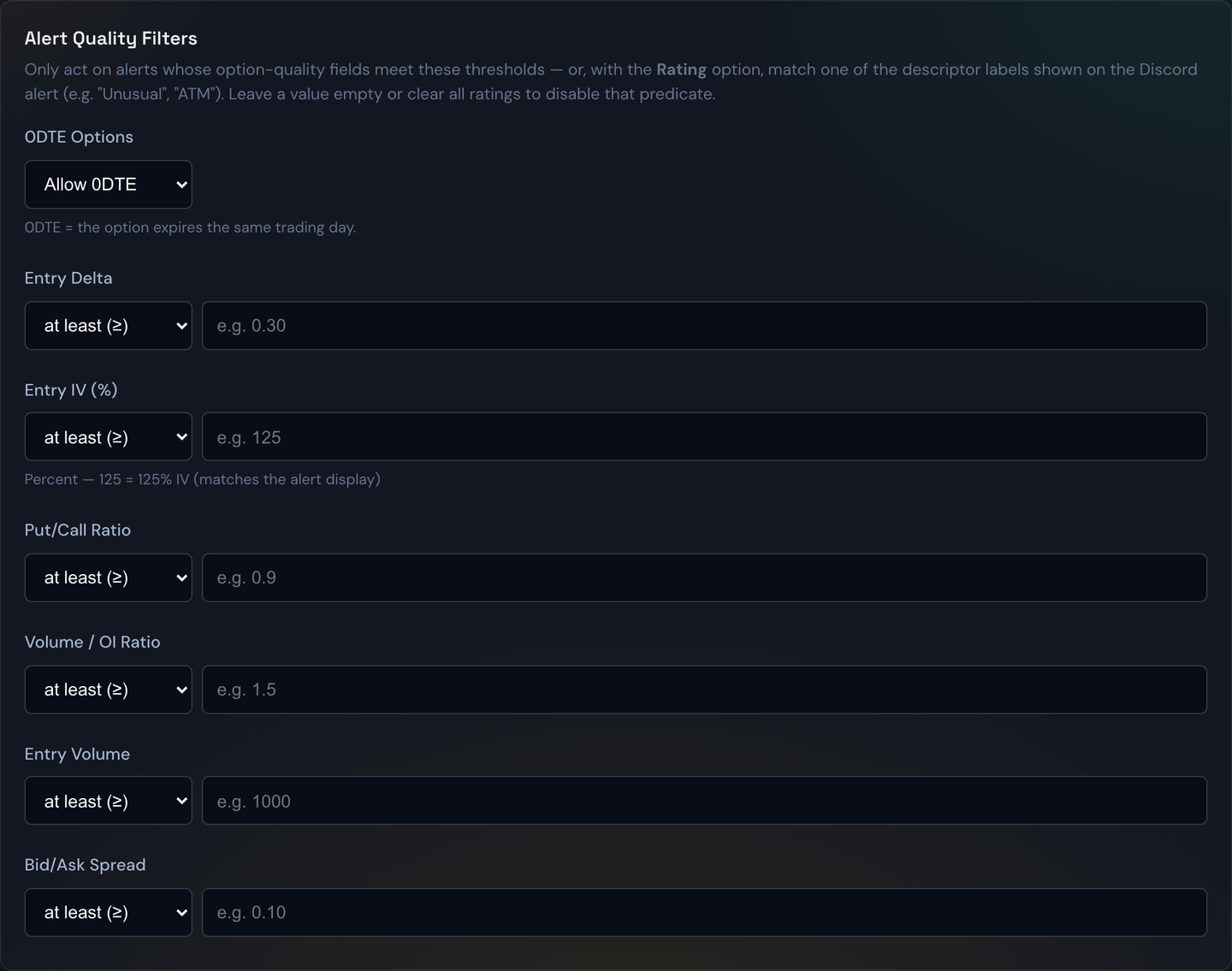
Alert quality filters are an extra screen you put in front of a strategy so it only acts on the best alerts and quietly skips the rest. You'll find them on the Strategies page under the Filters tab, in the Alert Quality Filters section. Each strategy has its own filters, and any filter you leave blank is simply switched off — so you only narrow on the things you care about.
The kinds of filters
You'll see a few different styles of control:
- Floors and ceilings — a single number that an alert must stay above or below. For example, a minimum option volume, or a maximum bid/ask spread, so the bot avoids thinly traded contracts that are hard to fill.
- Ranges (min–max) — a low and a high value an alert must fall between. These cover the option's delta, implied volatility (IV), put/call ratio, and volume-to-open-interest ratio.
- Rating chips — quick-pick buttons describing how unusual the alert's options activity is: Unusual, Very Unusual, Highly Unusual, and ATM (at-the-money). Tap the ones you want to accept and the bot ignores alerts that don't match.
The 0DTE filter
A separate dropdown lets you control same-day-expiration (0DTE) options:
- Allow 0DTE — trade both same-day and later expirations (the default).
- Only 0DTE — trade only options expiring today.
- No 0DTE — never trade same-day expirations.
This is handy when a strategy is built specifically for intraday scalps (Only 0DTE) or, conversely, when you want to avoid the fast-decay risk of same-day options (No 0DTE).
Example
You only want strong, liquid setups. Set the delta range to 0.30–0.60, the bid/ask spread ceiling to $0.10, and tap the Unusual and Very Unusual rating chips. Now when an alert comes in for an option outside that delta band, with a wide spread, or with only ordinary activity, the bot passes on it — and only the alerts that clear every bar get traded.
Tip
Start loose and tighten gradually. If you stack a lot of strict filters at once, you may find your strategy stops taking trades entirely. Loosen one filter at a time until the flow of trades looks right, then leave it alone for a while and judge the results.
Note
Quality filters appear for strategies on supported alert sources and require a recent bot version. If you don't see the section on a particular strategy, that source doesn't carry the extra option data these filters rely on.