
The Billing page tells you what plan you're on, what you're paying, when you'll be charged next, and how to make changes.
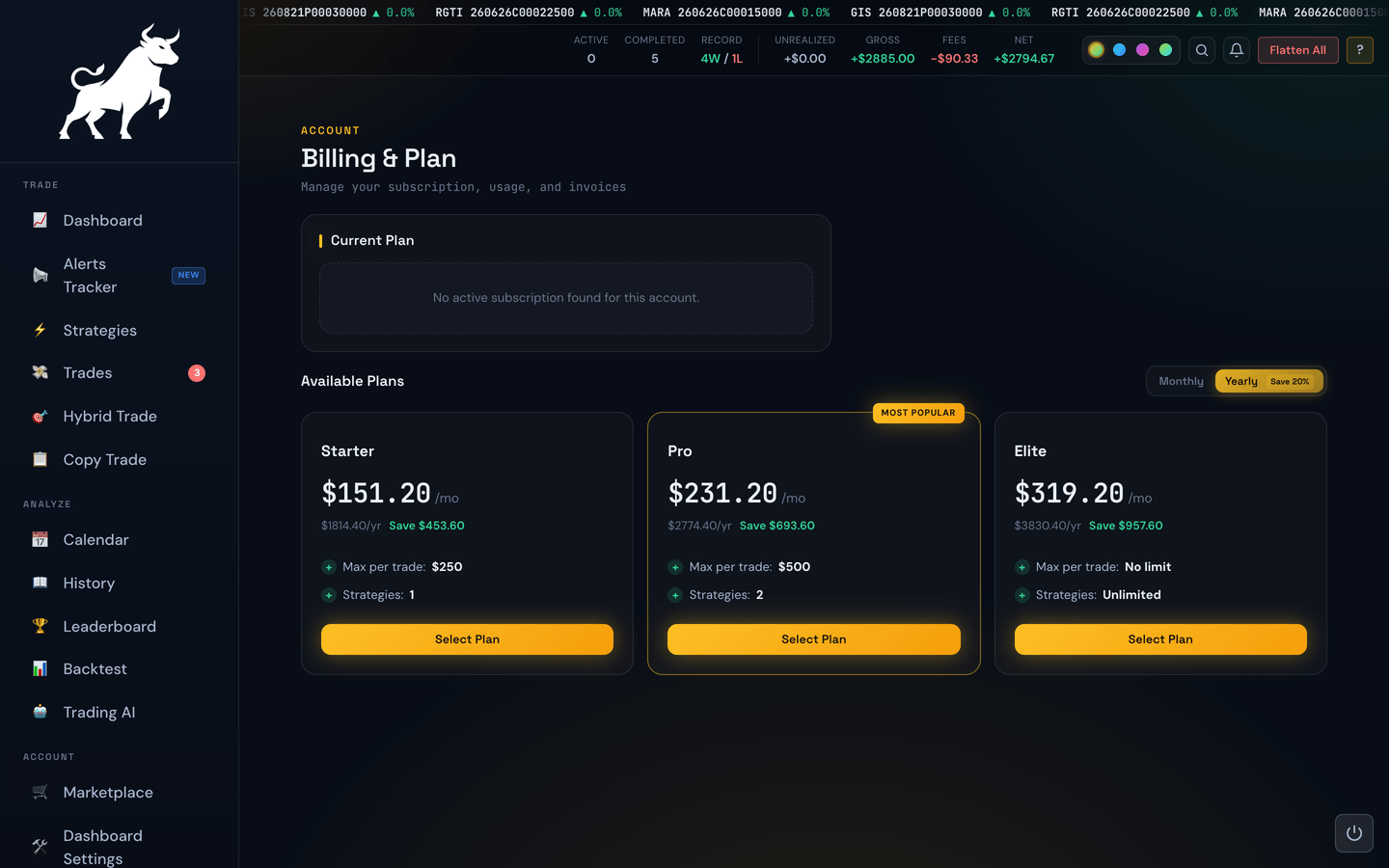
Your current plan card
The big card at the top shows:
- Plan name — e.g. Automation, Automation Plus, Automation Elite, Lifetime.
- Status — Active, Pending Change, or similar.
- Amount — what you pay per billing period.
- Billing period — monthly or yearly.
- Next billing date — the day your next charge is due.
- Member since — when you first subscribed.
Managing through PayPal
The portal does not process payments directly. Your subscription lives with PayPal (or whichever provider you signed up through). The Manage in PayPal link takes you to the provider's page where you can update your payment method, pause, or cancel.
Upgrading and downgrading
Clicking Change Plan opens a comparison of every available tier. From there you can:
- Upgrade — get more features (more strategies, higher limits, etc.). Upgrades take effect immediately and you're charged a prorated amount for the rest of the current period.
- Downgrade — move to a less expensive plan. Downgrades take effect at the end of your current billing period, so you keep the features you've already paid for through that date.
- Switch monthly ↔ yearly — yearly is typically discounted.
Pending changes
If you've requested a downgrade, the Billing page shows a small banner telling you when the new plan kicks in. Until that date arrives, your current (higher) tier still applies.
Lifetime plans
If you're on a Lifetime plan, there's no recurring charge — the plan stays active permanently. Lifetime members are shown a friendlier card without billing dates.