
A killswitch is a daily stop sign for the whole account. When the killswitch trips, the bot stops opening new trades for the rest of the day. Trades that are already open keep running with their own profit target and stop-loss.
There are three flavors:
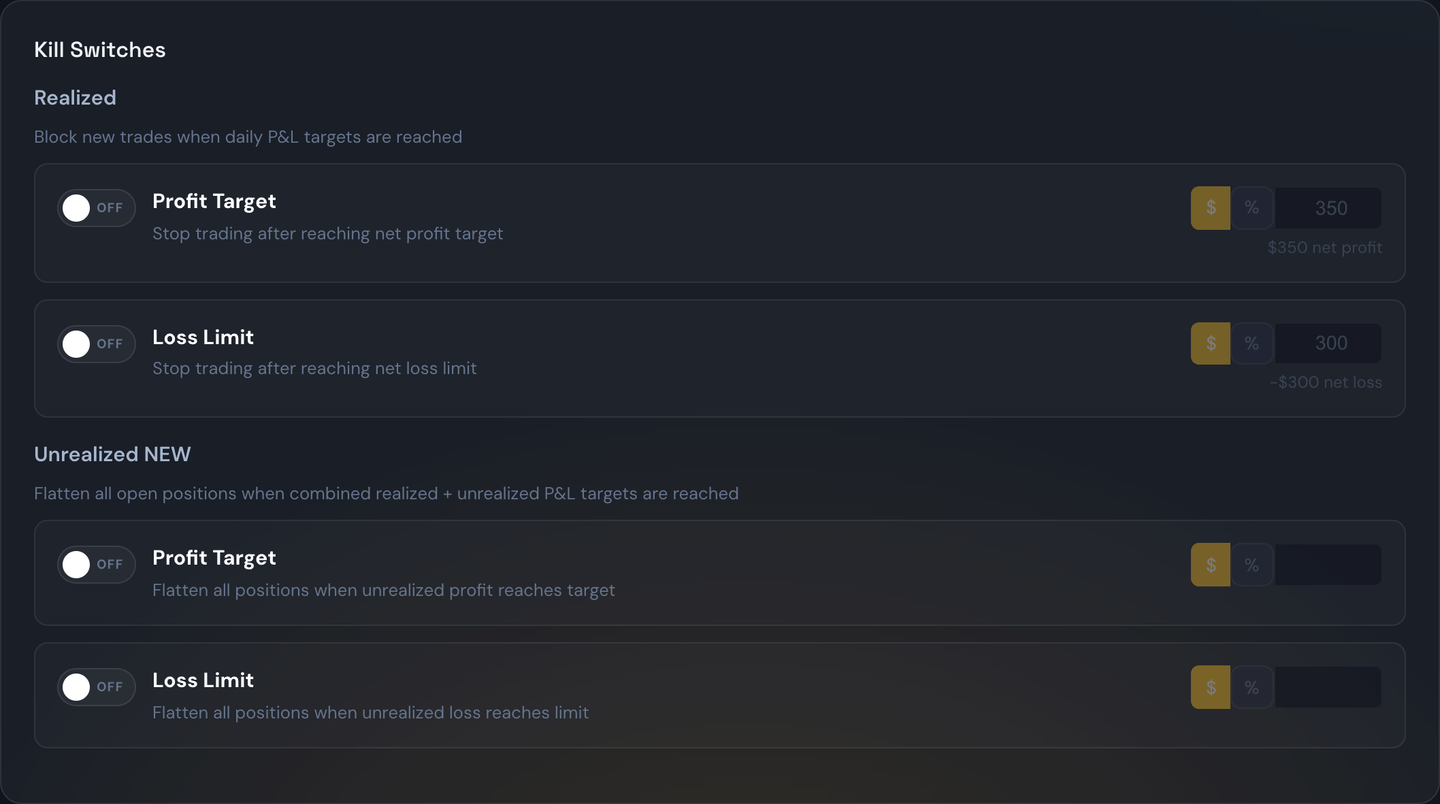
Profit killswitch
Stop opening new trades once today's profit reaches a target.
Example
Profit killswitch set to +$500. You climb to +$520 by 11 a.m. The bot stops opening new trades. You finish the day with the profits you already have. (Many traders use this to lock in good days and avoid giving the gains back.)
Loss killswitch
Stop opening new trades once today's losses reach a limit.
Example
Loss killswitch set to -$300. After three losing trades you're at -$310. The bot stops opening new trades for the rest of the day. (This is the single most powerful tool for protecting yourself from a bad day spiraling into a worse one.)
Unrealized killswitch
Counts your open trades too. Useful when a single big losing position could blow past your loss limit before it even closes.
Example
Unrealized killswitch set to -$500. Your closed trades today are at -$200, and your one open trade is currently at -$320. Combined: -$520. The bot stops opening new trades, even though nothing has finalized yet.
The numbers on the Daily Guardrails card
The card shows two things, and it's worth knowing which is which:
- The big number is your live total for today: closed trades plus open positions right now, before any broker fees. It updates every second as your open trades move — useful context for where you stand.
- The progress bar, the badges, and the "to target" distances run on your trading engine's own tally — the exact number the killswitch compares against your profit target and loss limit. When one target trips, the badge says confirmed by your trading engine. This tally counts closed trades (plus any same-day broker corrections — see below); open positions only count toward the separate Unrealized killswitch.
Why two numbers? Because they answer different questions. The live total asks "where am I right now, including open trades?" The engine tally asks "has my realized P&L actually crossed the line I set?" — and that second question is the one that stops new trades. (The Net figure in the bar at the very top is a third thing: closed trades only, minus estimated broker fees.)
Example
Your closed trades today add up to +$2,158, you have one open trade sitting at -$10, and your estimated fees are -$154. The card's big number shows +$2,148 (closed +$2,158 and the open -$10, no fees); the guardrail bar measures +$2,158 against your target; and the top bar's Net shows +$2,004. All three are correct — they're measuring different things.
Broker corrections count — and disagreements are flagged
Sometimes the broker's records correct a trade after the fact — a fill price adjusts, or a trade that closed at the broker gets backfilled into your history. Those corrections now update your killswitch tally the same day, so the guardrail trips when your real P&L crosses your target, not just the originally-reported one.
If the portal's own daily total and the engine's killswitch total ever disagree by more than a dollar, a warning chip appears on the card showing both numbers. The engine's number is always the one that decides — the chip just makes sure you're never reading one number while the killswitch acts on another.
Picking your numbers
A useful rule of thumb is: choose loss and profit killswitch values that you'd genuinely be okay walking away from. The killswitch only works if you set it before the heat of the moment.
Warning
The killswitch is one-way protection — it stops new trades. It does not automatically close trades that are already open. To close everything at once, use the Flatten All button.
Unlocking for the rest of the day
When a killswitch trips you'll see a red "Killswitch locked for the day" banner at the top of the Trades page, and new signals are rejected. If you've thought it over and want to keep trading today anyway, press Unlock Killswitch on that banner and confirm.

Unlocking lets new trades be accepted again for the rest of today, even though your profit or loss is already past the number you set. It does not delete or change your killswitch — the same limit automatically comes back at the start of the next trading day, so you don't have to remember to turn it back on. While you're unlocked, a small "unlocked for today" note replaces the red banner.

Example
Your profit killswitch is +$500. You hit +$540 at 10 a.m. and the banner appears. You decide the setup in front of you is worth it, so you press Unlock Killswitch. New trades flow again for the rest of the day. Tomorrow morning your +$500 profit killswitch is active again automatically.
Note
Unlocking is the right tool when you want to keep your killswitch for future days but override it just for today. If instead you never want this limit again, turn it off in the Strategies page under Account Settings.