
Some days the market does weird, dangerous things. Skip days is the setting that tells your bot, "Don't trade on those days." On a skip day, the bot ignores every alert and opens nothing.
What counts as a skip day?
Common ones:
- FOMC days — Federal Reserve interest-rate announcements. Markets often whip violently on the news.
- Triple witching — options expiration weeks where multiple contract types expire at once.
- Major holidays / half-days — when liquidity is thin and prices behave unpredictably.
- Specific weekdays — some traders sit out Mondays, for example.
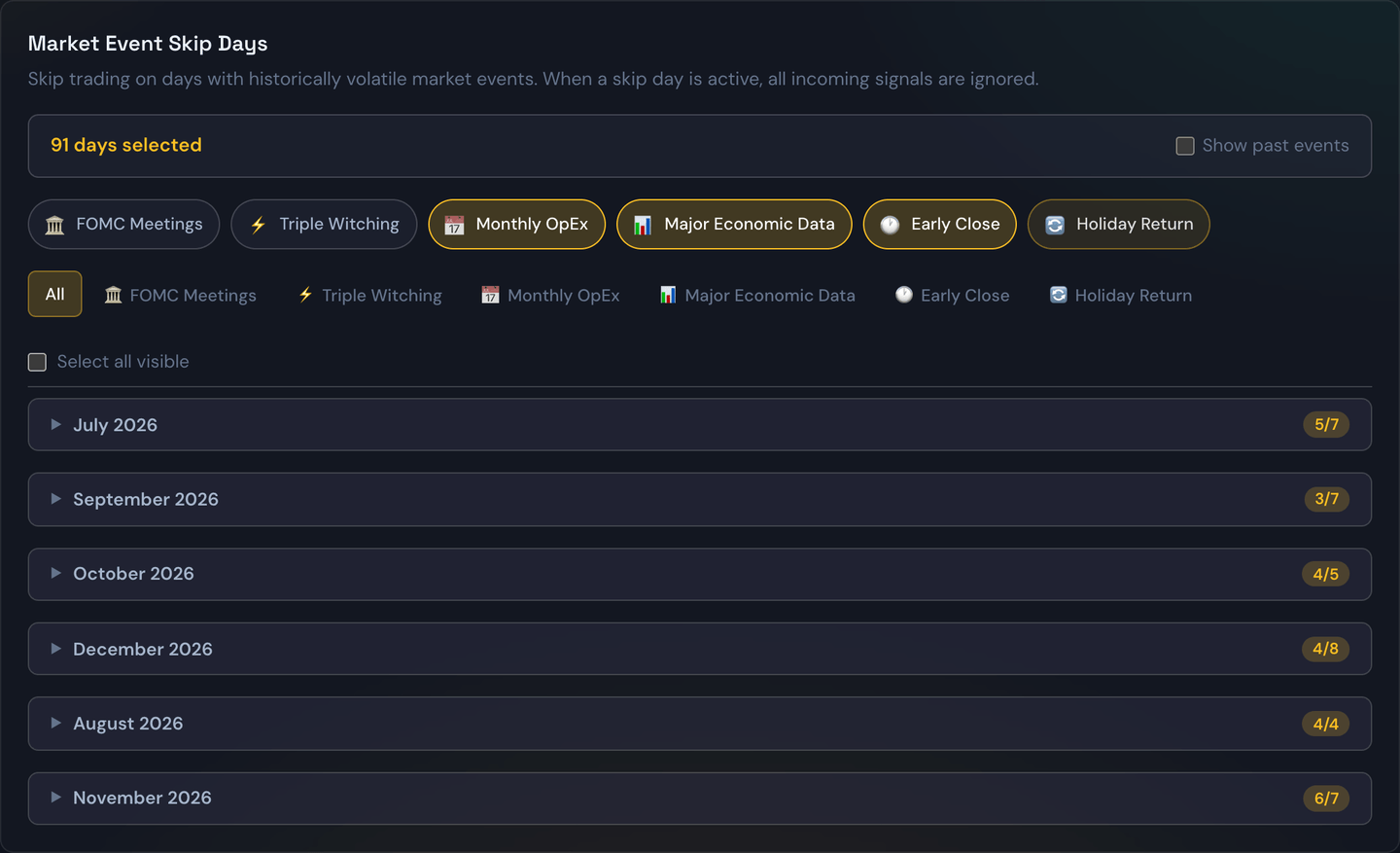
How to check it's on
Open your Strategies (or Trading Settings) page and look at the filters / skip-days section. Today's status appears as a banner on the Dashboard and Trades pages — "Today is a skip day — no new trades will open" — so you're never surprised.
Why you'd want this
Big-news days have an asymmetric effect: they often produce a few enormous winning trades... but more enormous losing ones. Skipping them tends to smooth out your equity curve without leaving much money on the table.
Example
Your bot is configured to skip FOMC days. The Fed announces at 2 p.m. The bot ignores the alert that fires at 1:55 p.m., ignores the burst of alerts after the announcement, and quietly stays flat. The next morning it goes back to business as usual.
Tip
Backtest your strategy with and without skip days enabled. The result is often surprising — and tells you whether skip-day protection is helping you or costing you.